Free Invoice Bot for Telegram
Create professional PDF invoices in seconds — no app, no signup.
For freelancers, consultants, and small businesses. Start free, upgrade when you grow.
No credit card · 10 invoices free every month
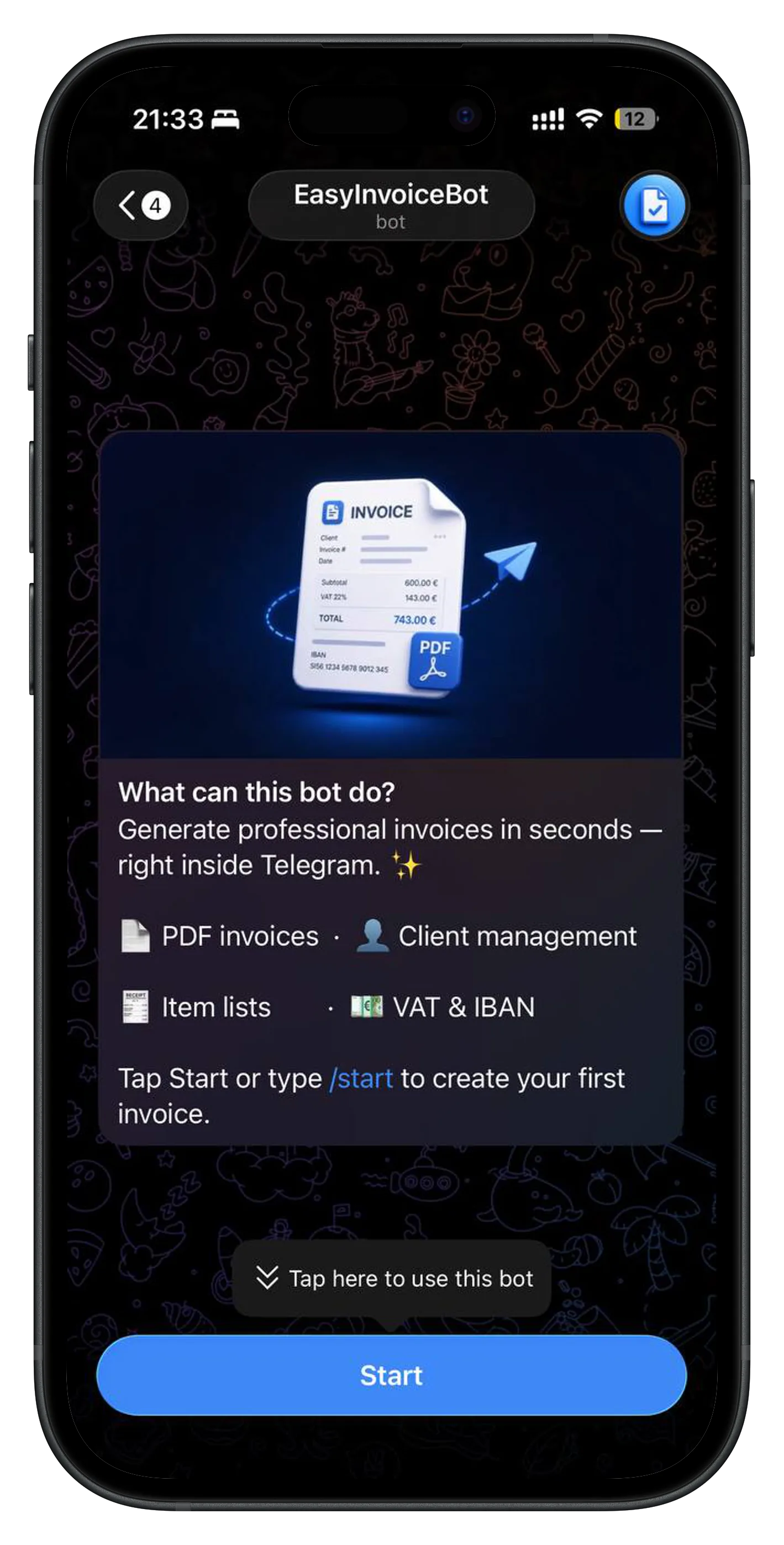

Key Features
- Create and manage clients
- Generate invoices with multiple line items
- Automatic subtotal, tax, and total calculation
- VAT support (EU-friendly)
- Clean and readable PDF invoices
- SEPA invoices for all 37 European countries — QR payment codes for SI, DE, NL, AT and others (UPN, SEPA Credit Transfer). US invoices with ACH bank transfer details (ABA routing + account number).
- E-invoicing notice for countries with mandatory electronic invoicing (Italy, France, Spain, Poland, Hungary, Romania, Greece)
- Store and review invoice history
- Default values for currency, VAT rate, IBAN and more — no re-entry needed
- GDPR-compliant: delete your account and all data with
/deleteaccount
Who is it for
- Freelancers and consultants
- Small service businesses
- Craftsmen and local professionals
- Anyone who wants fast, simple invoicing from Telegram
How it works
- Start the bot in Telegram
- Add a client and create a new invoice
- Export and send the generated PDF to your customer
Supported Countries
Works with all 37 SEPA member states and the United States. SEPA countries get QR payment codes (UPN, SEPA Credit Transfer); US invoices include ACH bank transfer details (ABA routing + account number).
⚠️ Countries with an orange dot (IT, FR, ES, PL, GR, HU, RO) require mandatory e-invoicing for domestic B2B transactions — a PDF invoice may not be legally valid there. Use this setting for cross-border (international) invoicing only.
🇺🇸 United States — ACH bank transfer details (ABA routing number + account number) are printed on the PDF instead of a QR code.
Pricing
- 10 invoices / month
- Up to 10 clients
- Up to 5 items per invoice
- Edit clients & invoices
- Mark as Draft, Sent, or Paid
- E-invoice formats
- PDF generation
- QR payment codes
- Unlimited invoices
- Unlimited clients
- Unlimited items per invoice
- Recurring invoices
- Send invoices by email
- Repeat invoice in one tap
- Invoice templates
- Search clients & invoices
- Statistics
- Data export (CSV, JSON, ZIP)
- Custom invoice numbering
Frequently Asked Questions
- Is EasyInvoiceBot free?
- Yes. The Free plan includes 10 invoices per month, 10 clients, PDF generation, and QR payment codes — at no cost. No credit card required.
- How do I create an invoice in Telegram?
- Start @EasyInvoiceAppBot in Telegram, add a client, fill in the invoice details, and your PDF is ready to send — all without leaving Telegram.
- Who is EasyInvoiceBot for?
- Freelancers, consultants, craftsmen, and small service businesses who need fast, simple invoicing without complex accounting software.
- What is included in the free plan?
- 10 invoices per month, up to 10 clients, up to 5 items per invoice, editing invoices, marking them as Draft, Sent, or Paid, e-invoice formats (XRechnung, Factur-X, FatturaPA), PDF generation, and QR payment codes.
- What does the Pro plan include?
- Unlimited invoices, unlimited clients, unlimited items per invoice, recurring invoices, sending invoices by email, repeat invoice, invoice templates, search, statistics, data export, and custom invoice numbering — for €6.99/month.
- Which countries does EasyInvoiceBot support?
- All 37 SEPA member states and the United States. SEPA countries get QR payment codes (UPN, SEPA Credit Transfer). US invoices include ACH bank transfer details (ABA routing + account number) instead of a QR code.
- Is EasyInvoiceBot GDPR-compliant?
- Yes. You can delete your account and all data at any time using
/deleteaccount. No data is retained after deletion. - How do I upgrade to Pro?
- Open @EasyInvoiceAppBot in Telegram and use the
/plancommand or tap Plan in the main menu.
From the Blog
The mandatory fields for a legally valid EU invoice, based on the EU VAT Directive. Plus country-specific requirements for Germany, Netherlands, Slovenia, France, and Italy.
Read →How to Create an Invoice in Telegram in Under 60 SecondsStep-by-step guide to creating a professional PDF invoice directly in Telegram using EasyInvoiceBot — no apps, no signup, no accounting software.
Read →For questions, feedback or support, contact us at: support@easyinvoicebot.com